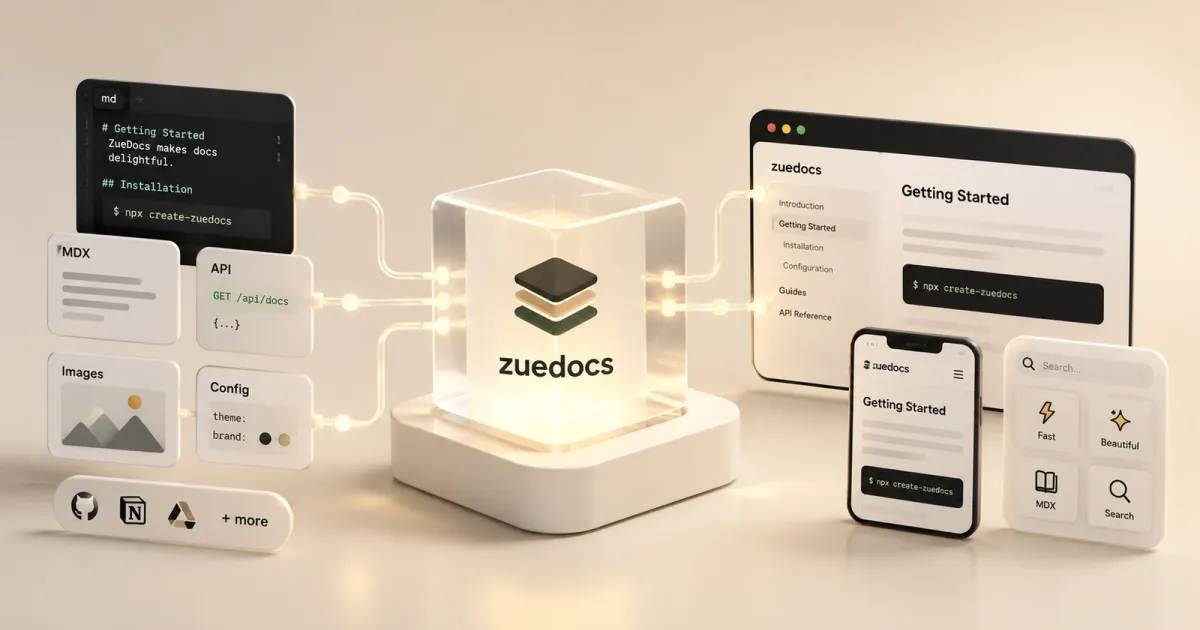
Every project I ship gets a docs site, and for a while every one of them was the same site rebuilt from scratch: the same landing page, the same category sidebar, the same sticky table of contents, copied forward and then quietly drifting out of sync. Fix a spacing bug in one, add a nicety to another, and within a month five docs sites disagreed on what a docs site was. ZueDocs is what I did about it: I pulled the entire docs UI out into one npm package and a scaffold command, so a project’s documentation is now a dependency, not a copy. This turned out to be one of the highest-leverage things I’ve built, not because any single feature is hard, but because I add a feature once and every project that depends on it inherits the feature on the next version bump.
The leverage is in making the docs UI a dependency
The package ships the whole shell: the base and docs-page layouts, the site header and footer, the theme toggle, the page-action menu, the full stylesheet, and the client-side enhancement script. What stays local in each consuming repo is small and declarative: a docs.ts with the site name, nav, and category list, plus a folder of markdown. That’s the seam, and because it’s drawn there, webctx, cf-cli, zodex, gooselake, and agentscript all render from the same shell. That’s six or seven docs sites with consistent typography and behavior, without a design-system meeting.
The math only works if upgrading is free, so it is. Every non-bot push to main runs the type check and build, bumps the patch version, tags it, and publishes to npm automatically, so “I improved the shell” and “it’s published” are one git push apart. On the consuming side, a Renovate bot opens a PR in each repo the moment the package falls behind, so propagating an improvement across the whole portfolio is a stack of one-line dependency bumps I merge, not a chore I have to remember. The instant upgrading becomes manual toil, everyone forks a copy and you’re back to five drifting sites; keeping the loop automatic on both ends is the entire reason centralizing works.
Features I added once and every project inherited
This is where the leverage stops being abstract. Each of these is the kind of thing I’d never bother wiring into a single project’s docs, but adding it once to ZueDocs upgraded every docs site at the same time, so I kept adding them:
- A theme toggle that cycles system / light / dark, persists the choice, and applies the resolved theme before paint so there’s no light-mode flash on load.
- Syntax-highlighted code blocks with a copy button on every one, plus per-block language labels: the small ergonomics that make a docs page pleasant to actually work from.
- Mermaid diagrams rendered from plain fenced code: an agent just writes
```mermaidsyntax in the markdown and it turns into a real diagram in a clean viewer, complete with a full-screen expand so a dense architecture diagram is actually readable. - A “copy page as Markdown” button and a
.mdversion of every single page./docs/quickstartis also served as/docs/quickstart.md, so the raw source is one click or one suffix away. - “Open in ChatGPT / Open in Claude” actions that hand an AI tool a prefilled prompt pointing straight at the current page.
- A clean, deliberately restrained design for long-form technical docs: the kind of typography and spacing that makes a small project look like it’s maintained by someone who cares.
- A proper landing page for the projects that need to introduce themselves before their docs, and first-class GitHub linking in the nav and footer.
None of these individually justifies a project page. Together, delivered as one versioned dependency across everything I ship, they’re why my smallest open-source CLI has docs that look and behave like a funded product’s.
Built for the agents that read and maintain it
The reason I care this much about docs isn’t aesthetics. It’s that good documentation is what lets both humans and agents actually understand a project, and my agents read docs as much as I do. So the .md-everywhere design does double duty: handing an agent, or a tool like webctx, clean raw markdown beats making it scrape rendered HTML back into text.
But the part that compounds is maintenance. Because the content is just markdown in the same repo as the code, with no Astro, no components, and no design decisions leaking into the pages, any agent editing that codebase can update the docs in the same change it makes to the code. There’s nothing docs-specific to learn; it’s prose next to the source it describes. That’s the flywheel: start a project with good docs, and because keeping them current costs an agent almost nothing, they stay good, which keeps the quality bar high across every repo I own. The docs UI being a dependency is what makes the shell excellent everywhere; the docs being plain markdown is what keeps the content honest everywhere.
Why it’s a custom Astro shell, not Starlight
Starlight exists and it’s good; I didn’t use it. The surface I actually needed was small: an editorial landing page, a categorized docs index, and an article page with a sidebar and TOC. I wanted full control of the typography so my docs sites look like mine (the visual language is lifted from the Gooselake site) rather than like every other Starlight install. Bending a docs framework onto a specific aesthetic is often more work than the framework saves. So ZueDocs is plain Astro 7, static output, zero integrations, with Mermaid as its only runtime dependency. It’s imported dynamically on the client and only when a page actually has a diagram, so docs without one never pay for it. Docs are an Astro content collection with a real schema (title, description, an order, and a category constrained to an enum), so the sidebar is generated by grouping the collection, the TOC is built from each article’s headings, and a mistyped category is a build error rather than a dead link someone spots weeks later.
Deploying it is a runbook, not an adapter
Because the build is static, hosting is boring on purpose: Astro builds to dist, Vercel serves it, done. The “Cloudflare” half isn’t a second build target; it’s DNS. My stack splits hosting on Vercel from domains on Cloudflare, and ZueDocs ships the exact runbook I use to wire a new docs domain: point a CNAME at Vercel and drop the verification TXT record, all through cf-cli so I never open the Cloudflare dashboard. It’s guidance in the starter content, not magic in the build. I’d rather ship the two commands that actually work than an abstraction pretending the two platforms are one thing.
The stack
Astro 7, TypeScript, static output, Mermaid loaded on demand, and a small client script for the copy buttons, page-action menu, theme toggle, and responsive table wrappers. Distribution is the npm package plus a zuedocs init scaffold that stands up a fresh Astro app already wired to the shared shell. It’s also baked directly into my Go CLI template, so every new CLI I spin up, including agentscript, webctx, and cf-cli, ships with a real documentation site, theme toggle and release automation included, from the first commit. This project sits further up the stack than most of my systems and tooling work, but it applies the same instinct to documentation: find the thing you keep rebuilding, make it a versioned dependency, and never rebuild it again.