
If you want the one project that shows what I can do as an engineer with full-stack, product design, and systems work all at once, this is it. It’s the app I use to code every single day, the one I’ve put the most hours into by a wide margin (over 2,000 commits and counting), and the clearest proof I have of my own thesis: I bootstrapped it with Claude Code and Codex, but somewhere past the first week the balance flipped, and roughly 90% of goldengoose has since been built using goldengoose itself. It worked so well that it very quickly replaced the tools that built it.
What it actually is
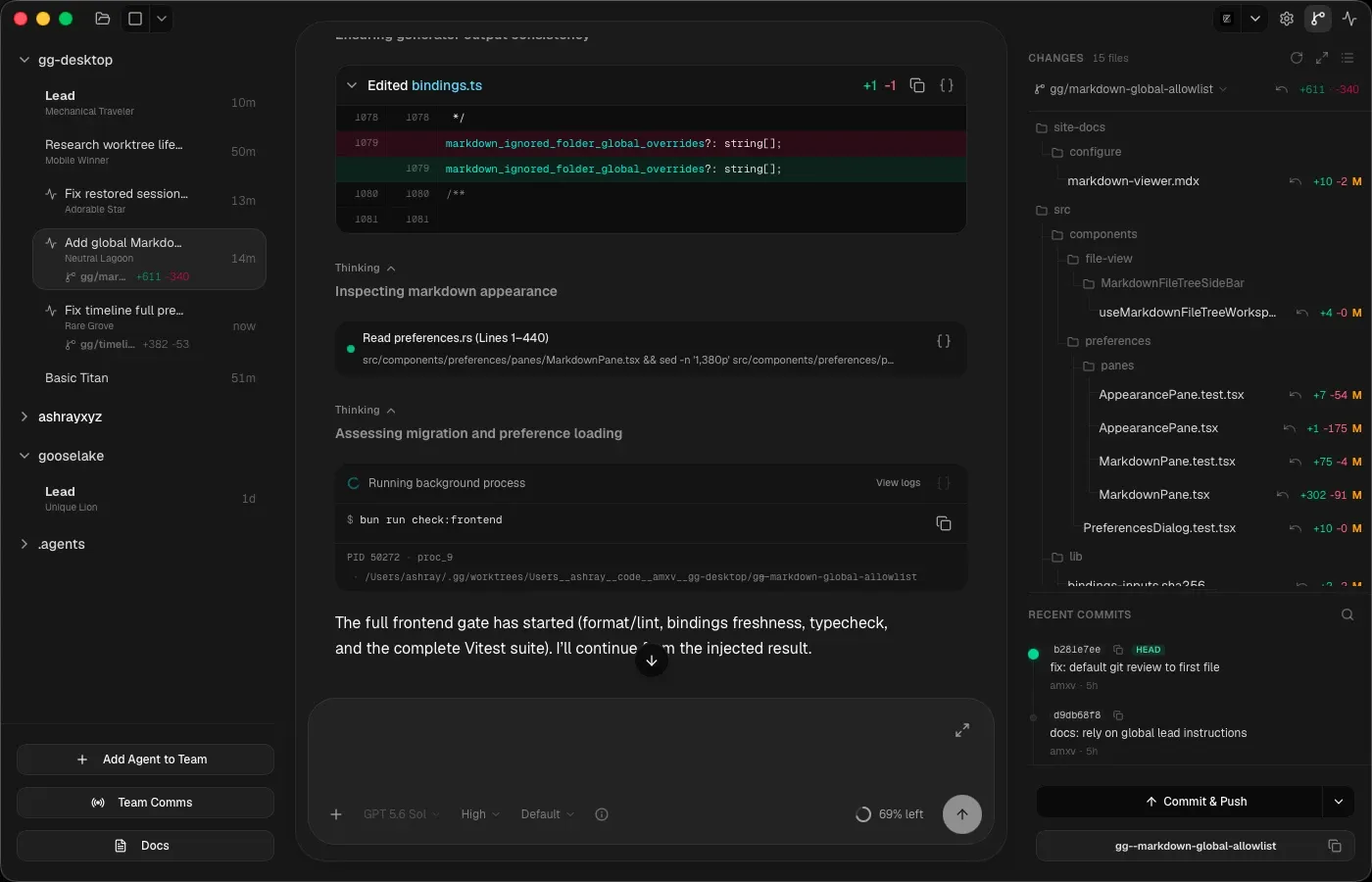
goldengoose is an agentic development environment for running a team of coding agents in parallel instead of one at a time. It’s provider-agnostic by design: Claude Code, Codex, and other CLIs sit behind one runtime, so you can mix them in the same team and switch between concurrently streaming agents without losing your place.
Under the desktop app there’s a real systems problem, and it shaped everything: AI coding providers are unreliable, high-volume, asynchronous runtimes. They stream thousands of events, disagree with your local state after a crash, complete turns out of order, and each one behaves differently. Most of the engineering I’m proud of in goldengoose is the machinery that turns that mess into something typed, replayable, and observable: a local control plane for agents, with a UI on top.
One source of truth, and a frontend that never guesses
Before any of the product ideas, there was a systems decision I cared about just as much: the whole runtime, including session and turn lifecycle, streaming event fanout, persistence, and concurrency, is native Rust. Not because it’s fashionable, but because after building a lot of full-stack applications I kept debugging the same class of bug: state scattered across the frontend and backend, disagreeing with itself. The fix I settled on is almost boring: one source of truth, all the logic in the backend, and keep the frontend as dumb as possible.
Here that principle is enforced, not aspirational. Every Rust command is exported to TypeScript through generated bindings (tauri-specta), so the IPC boundary is a typed API contract. If I change a type on the Rust side, the frontend won’t compile until it agrees. There’s no stringly-typed bridge to drift out of sync, and validation lives on the Rust side of the boundary, where it belongs. The frontend’s state model is deliberately simple: component state for local things, a store for transient runtime state, query caching for anything backend-backed. It renders what the runtime tells it and nothing else.
Providers sit behind a single trait with the common lifecycle (create, resume, send input, interrupt, approve, close) plus explicit escape hatches for provider-specific abilities rather than pretending every CLI is identical. That’s the boundary where Claude and Codex’s differences get absorbed, so everything above it can treat “an agent” as one thing. The same instinct is why the app runs on Tauri v2 instead of Electron: the OS’s own webview instead of a bundled Chromium, one less thing between me and the performance I wanted.
Not all events deserve to survive
The distinction I think about most in this codebase: streaming deltas and lifecycle events have completely different reliability requirements. Dropping a few stdout chunks under load is fine; the durable log still has them. Dropping “turn completed” corrupts the entire app state, because now the runtime thinks an agent is busy forever.
So the event transport encodes that distinction directly. Events flow through a bounded queue; when a storm of tool output saturates it, droppable deltas get dropped and counted, while critical lifecycle events take a separate guaranteed path. There are tests that saturate the queue on purpose and assert that a message delta gets sacrificed but the turn-completion always lands. That’s the property that lets me run many, many agents streaming in parallel without the app falling over. It’s not a side effect; it’s the reason the transport is built this way.
The same “which failures are survivable” thinking runs through the session lifecycle. Sessions and turns are an explicit state machine with enforced transitions, and the rules encode things I learned the hard way: a failed turn returns the session to active instead of killing it, because a bad turn is retryable while a dead provider process is not. A session that was closed when the app quit can be reopened exactly once after restart, giving recovery without weakening the lifecycle rules. Late, duplicated, or conflicting terminal events from a provider get reconciled instead of blindly applied, because the provider process and my local state will disagree eventually, and one of them has to be the adult.
The timeline is a projection, not a chat array
The obvious way to build an agent UI is an append-only array of messages. That works until an agent edits earlier output, a provider replays events after a crash, or you need to reload a hundred-thousand-row session without freezing the app. So the timeline in goldengoose is a versioned projection: every session’s timeline lives in SQLite with a revision and an epoch, rows have stable identities, and updates arrive as append, update, and remove patches rather than naive rewrites.
The invariants are where the real protection is. Within an epoch, a timeline entry is not allowed to change kind. A mutation that tries to turn a tool call into a message fails instead of silently corrupting the view. Stale patches from a previous epoch get dropped by the frontend instead of applied out of order. And when the frontend meets a row shape it doesn’t recognize, which happens because the Rust and TypeScript sides evolve at different speeds, it renders an unknown-row fallback instead of crashing. These are the kinds of rules you only add after watching a timeline corrupt itself, and each one is a bug class that can’t come back.
The frontend applies those patches through a batching layer that’s a performance architecture in its own right: the focused session flushes on animation frames so it feels live, background sessions drain round-robin on a slower interval so twenty streaming agents can’t starve the one I’m looking at, and cold sessions stop retaining bulky tool output in memory entirely. The durable timeline has it if I ever click back in. Tool deltas are stored in bounded pages with truncation accounting rather than as ever-growing strings. The app expects dozens of sessions, and the active one has to feel instant no matter what the rest are doing.
Teams, a lead, and an assembly line
The core product experience is built around having one lead agent per project: a single thread that holds the context of every moving part across the codebase but does none of the actual work itself. Its only job is to manage other agents: take what I ask for, turn it into concrete tasks, and dispatch them to specialist team members. I can keep hammering it with whatever comes to mind, whether that’s a bug report, a feature idea, or “hey, tweak this CSS,” one after another, without waiting, because the lead is never busy implementing anything itself. It’s always just tracking who’s doing what, breaking my next ask into a task, and spinning up a member in its own git worktree to run it, so the whole thing moves like an assembly line: parallel tracks of code advancing at once while I stay free to keep feeding it new requests. It ends up feeling less like a chat and more like a living to-do list I can just talk to.
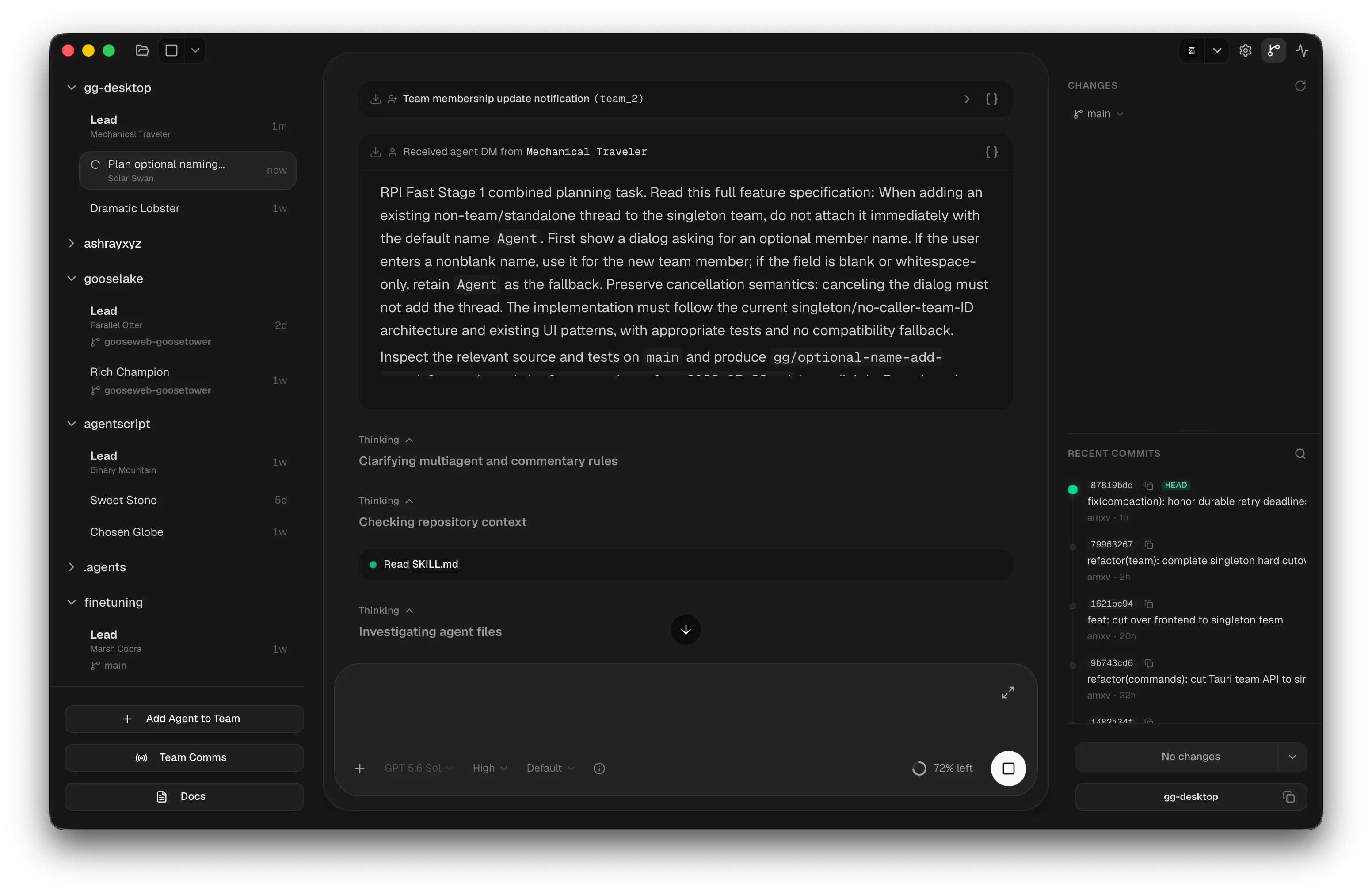
Shipping isn’t left to chance, either. Every finished branch that comes back to the lead gets integrated onto main and run through the full test and check suite on the integrated result, not just in isolation, and only pushes if that gate is green. That’s what lets me move as fast as I do without things quietly breaking: nothing reaches main without proving it still works alongside everything else that just landed.
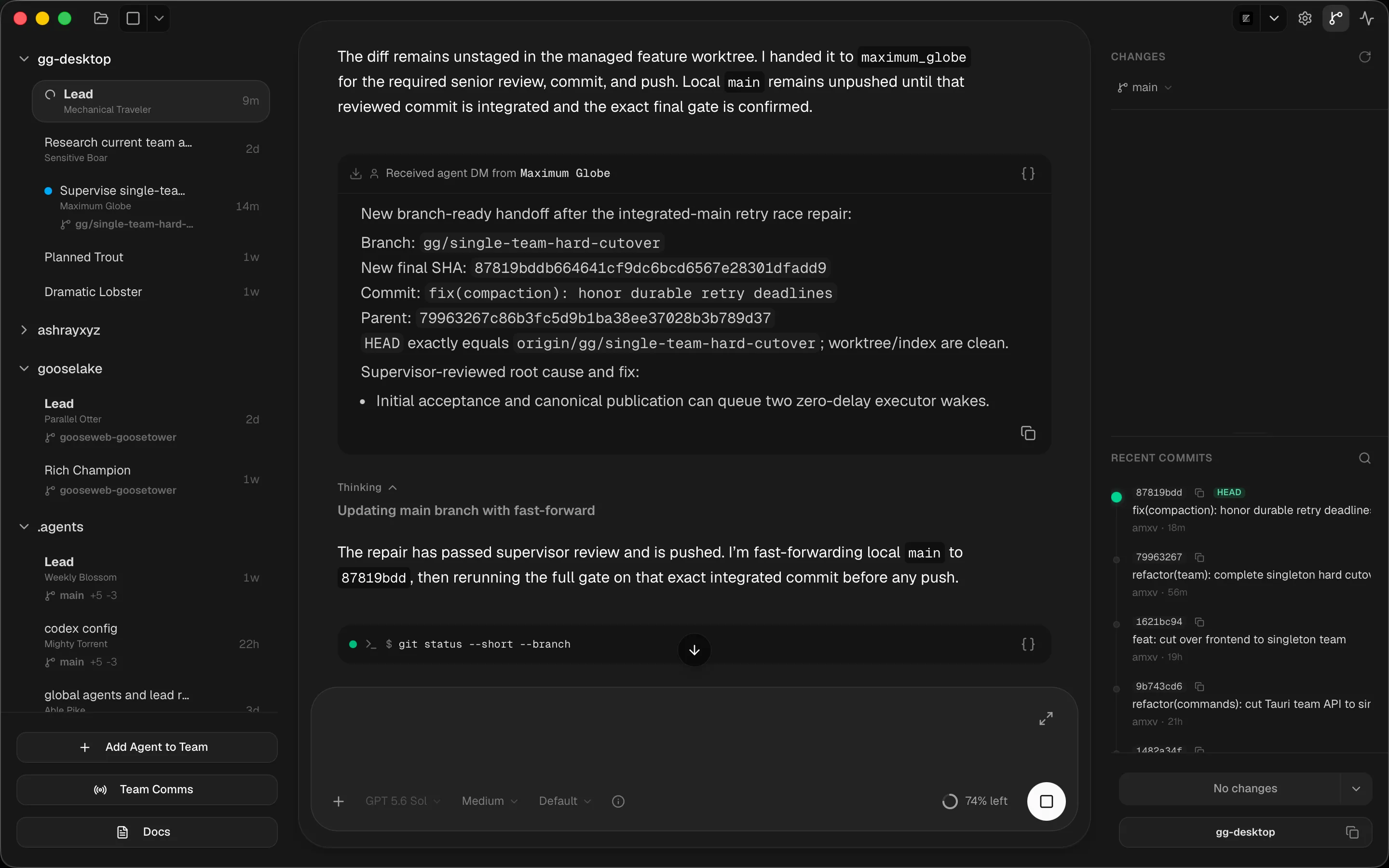
Sometimes two agents end up touching the same overlapping part of the codebase, and integrating both branches conflicts. The fix here isn’t handing that conflict to some third agent to untangle. It’s routing it straight back to the two agents who actually wrote the code and telling them to sort it out with each other over the messaging tool. Anyone who’s run coding agents at scale knows this exact problem from the other side, as PR-review purgatory: yet another agent poking at someone else’s branch trying to resolve CI conflicts it doesn’t have context for. Here that step barely needs to exist. The agents who own the conflicting changes coordinate directly, the same way two people would, and ship without me ever getting pulled in.
A flat org chart, not a spawn tree
This wasn’t the first attempt at getting agents to coordinate, and it’s worth explaining why I ended up somewhere different. As far as I know, Claude Code’s Task tool pioneered the idea of one agent spawning sub-agents. It was a fascinating idea at the time, even though the execution was rough. About a year ago, that was the pattern everywhere: a parent spawns a child, the parent can’t talk to the child while it’s working, the user can’t talk to the child at all, and whatever the child finally says gets force-injected back into the parent’s context whether the parent wants it right then or not. Plenty of tools took that and made it recursive, with sub-agents spawning their own sub-agents into a tree, but it’s the same problem wearing a fancier hat. Everyone kept answering “how do agents coordinate?” by adding more hierarchy.
I think the actual answer is almost embarrassingly simple, and it’s the thing I like most about this project: one team, one lead, and a flat org chart. Any member can add or remove other members from that same team instead of spawning a private sub-hierarchy underneath itself. Anybody on the team can message anybody else, the same way people talk in a group chat. No forced injection, no silent children, nobody locked out of talking to whoever’s actually doing the work. Give agents just two primitives, add-or-remove-a-teammate and message-a-teammate, and it turns out that’s enough to build fascinatingly complex multi-agent workflows without any special orchestration layer. I wrote up the longer argument, including why I think spawn trees are a dead end, in Agent coordination doesn’t need hierarchy.
One design decision keeps this honest: when I add a teammate from the UI, that request goes through the exact same team-operation router as when an agent adds a teammate through a tool call. Every team operation, whoever initiated it and from whatever entry point, becomes the same canonical event with the same semantics, actor, and audit trail. There’s no split-brain where the human path and the agent path drift apart, which is precisely the kind of bug that appears in systems where the UI and the agents were bolted together separately.
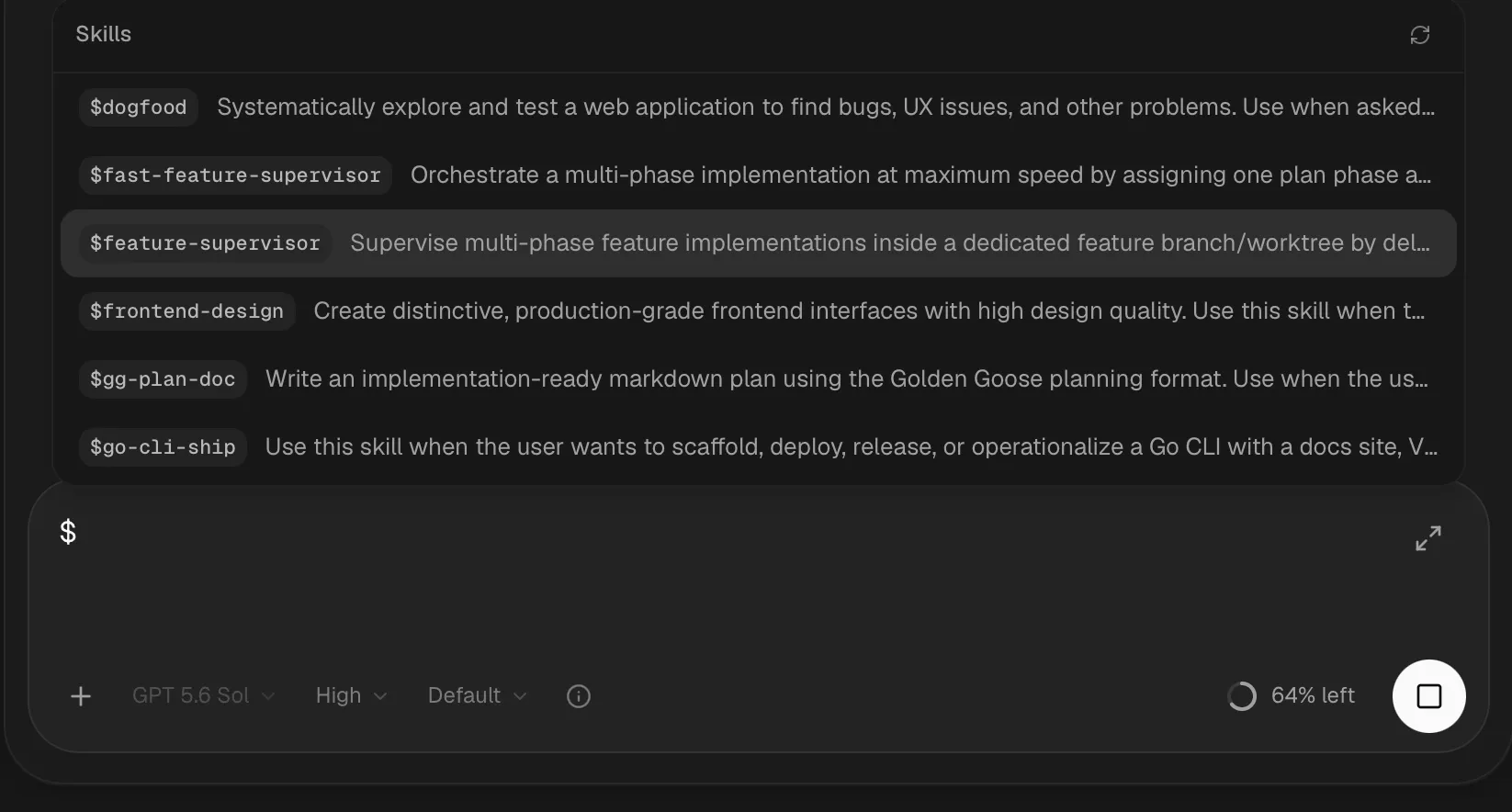
I landed on the flat model after I’d already built the first version around a single lead agent, and once it existed, I used the same workflow to build huge chunks of the app itself, one feature at a time. The clearest expression of it is the RPI skill: Research, Plan, Implement.
- A research agent reads the entire codebase for everything related to the feature, including every area it might touch, and writes up a report. It deliberately doesn’t know what I actually want to build yet, so its read of the codebase stays uncontaminated by my intent.
- That report goes to a planning agent, along with the real intent behind the request, which only the lead passes along, so the planner has both an honest picture of the codebase and a clear sense of what I’m trying to do.
- The planner doesn’t just write a plan; it talks to me. It lays out the trade-offs and the real design decisions I need to make, and we go back and forth until I say “ready.”
- Only then does it write the plan and hand it to the lead.
From there it’s fully automated: the lead hands the finished plan to a feature-supervisor, which manages its own implementers one phase at a time. Each phase goes through its own review loop and doesn’t clear until the reviewer’s satisfied. The whole pipeline is nothing more than agents adding, removing, and messaging each other in plain language.
Handing off between phases used to be a judgment call I made myself: after an implementer finished a phase, I’d eyeball how deep into its context window it was before deciding whether to give it the next phase or spin up a fresh agent instead. Under a rough threshold, say 60% used, it kept all the context from the phase it just did, so reusing it was strictly better than reloading that context into someone new. Past that, a fresh agent was the safer bet. I did this often enough that I gave agents the same visibility I had: any agent can check its own context-window usage percentage, or any other agent’s, in real time. Now the supervisor makes that call itself instead of waiting on me.
Agent-to-agent communication, done properly
The messaging system is deliberately just three tools (gg_team_status, gg_team_message, gg_team_manage). Agents in a team message each other directly or broadcast to the whole team, and every message carries real delivery tracking (queued, delivered, failed) instead of just hoping it landed. Messages carry images too, not just text, which I haven’t seen in any other agent harness: if I send my lead a screenshot of a bug, it forwards that screenshot to whichever agent is actually going to fix it, the same way a person would, instead of me describing the image in words to a new thread. This is the lesson from an earlier project of mine, adm, finally living where it belongs. The CLI version taught me the delivery semantics; this is the proper, observable version of that idea. If I’m allowed to brag: I don’t think anyone has shipped agent messaging this complete, including the well-funded startups building agent products right now.
The delivery semantics go deeper than the UI shows. Team lifecycle and messaging events can trigger user-defined hooks, and a post-message hook doesn’t fire when the send call returns. It fires when the message is actually delivered, wired to the runtime’s delivery events. Firing side effects before the thing has actually happened is a classic distributed-systems bug, and it’s exactly as possible inside a desktop app full of async agents as it is across a network. Hook configs themselves are versioned, strictly validated, and merge deterministically between user-level and project-level definitions, because “run a shell script when something happens” is the kind of power that needs a real contract around it.
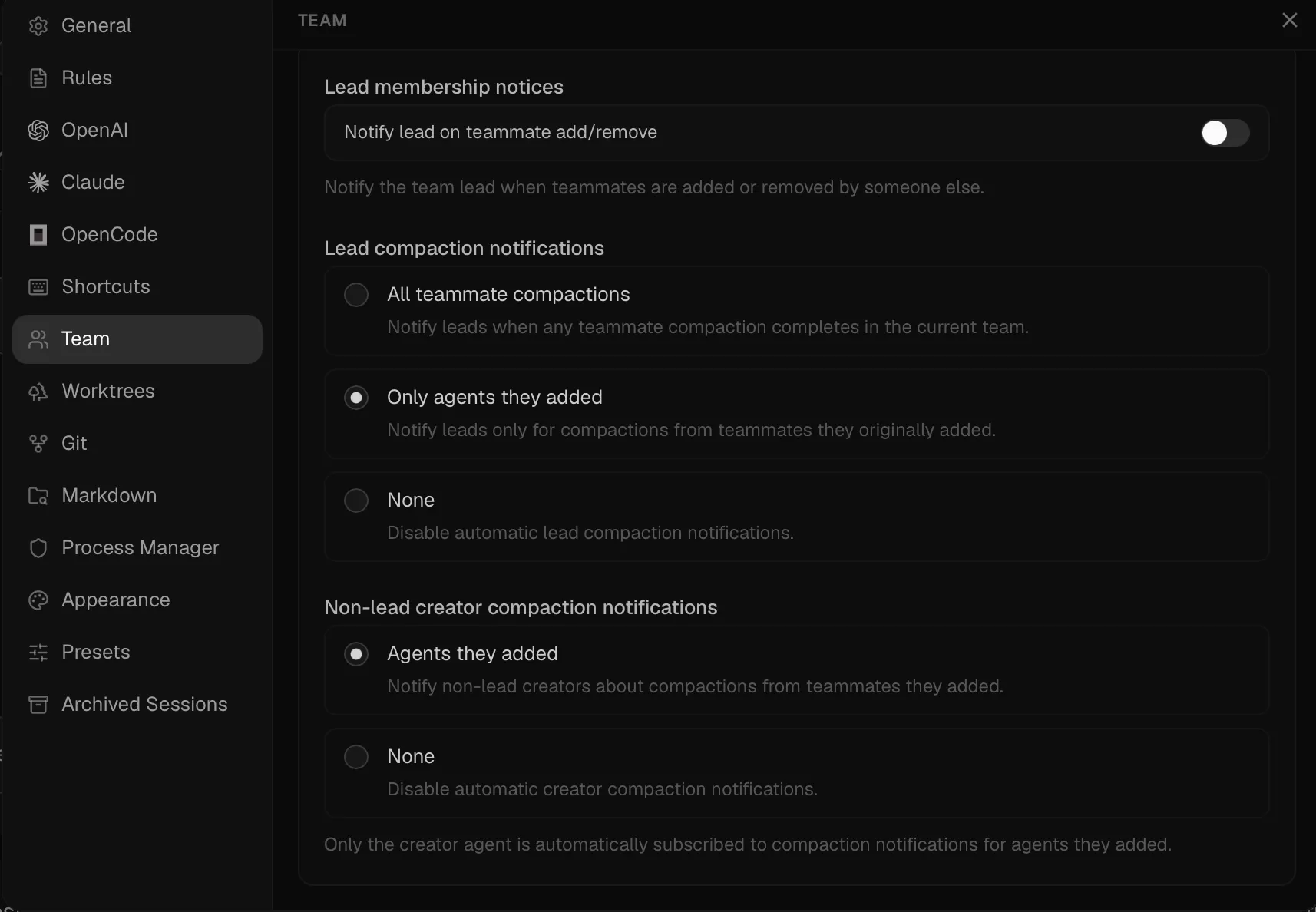
One detail came straight out of the RPI workflow: a phase implementer often had to read a lot of code before touching anything, and when it ran out of context mid-phase, it would forget parts of the plan. I used to catch this myself: stop the agent, tell it to re-read the plan, let it get back to work. It happened often enough that I got annoyed and automated it: the supervisor now gets a notice the moment an implementer’s context gets compacted, and one line in its instructions tells it to immediately message that implementer to re-read the plan. I don’t have to be in the loop for it anymore.
Background work that wakes you back up
Long commands run through an integrated, Rust-native process manager, another three-tool surface (gg_process_run, gg_process_status, gg_process_kill). This isn’t a thin wrapper around spawning a shell: processes are session-scoped and permission-checked, with global and per-session concurrency limits so an agent can’t accidentally fork-bomb my laptop, bounded stdout/stderr logs so a chatty dev server can’t eat the disk, and a reconciliation pass that catches processes whose exit was missed. When a command finishes, the result gets injected back into the owning agent’s session as a synthetic tool call containing status, exit code, duration, output preview, and full log paths, and that agent’s turn resumes automatically. No polling, no wasted tokens asking “is it done yet,” no results leaking into whoever happens to be listening.
That’s the same instinct behind another project of mine, Actions Watcher: don’t poll, get woken up the instant there’s a real signal. Here it’s built straight into the runtime instead of bolted on as a CLI, and both the agents and I can see every running process, not just the one that happens to be talking.
I put real effort into the observability here because I think most agent harnesses get it wrong: command output ends up hidden behind some obscure terminal pane, hard to navigate, hard to even click into. In the Process Manager I can see exactly which agent owns which process, live logs split cleanly into stdout and stderr, and I can kill anything misbehaving. An agent has that exact same visibility, so it can check a command’s status and logs itself instead of guessing. That’s what lets me kick off a background watch on a release build or a dev server and just leave it: the agent gets notified the instant something crashes, and it isn’t burning tokens polling a long Rust compile in the meantime.
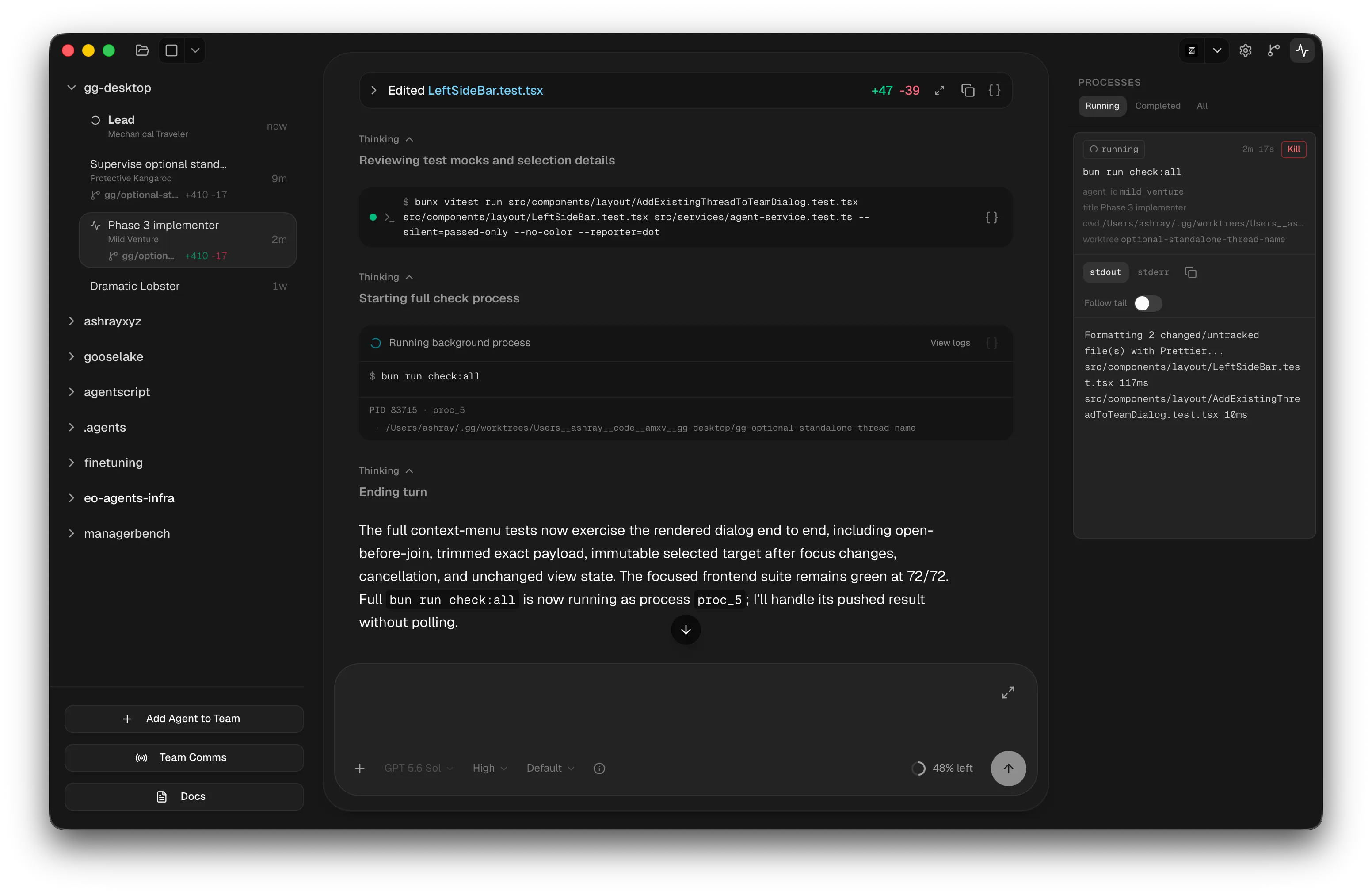
Six tools total, three for teams and three for processes, and I’ve kept it deliberately that small. An agent should never be lost figuring out which of a hundred tools to reach for.
Even the conveniences are systems code
A theme across the app: things that would normally be frontend features are native Rust subsystems, because that’s where filesystem access, caching, and CPU-heavy work can be done properly.
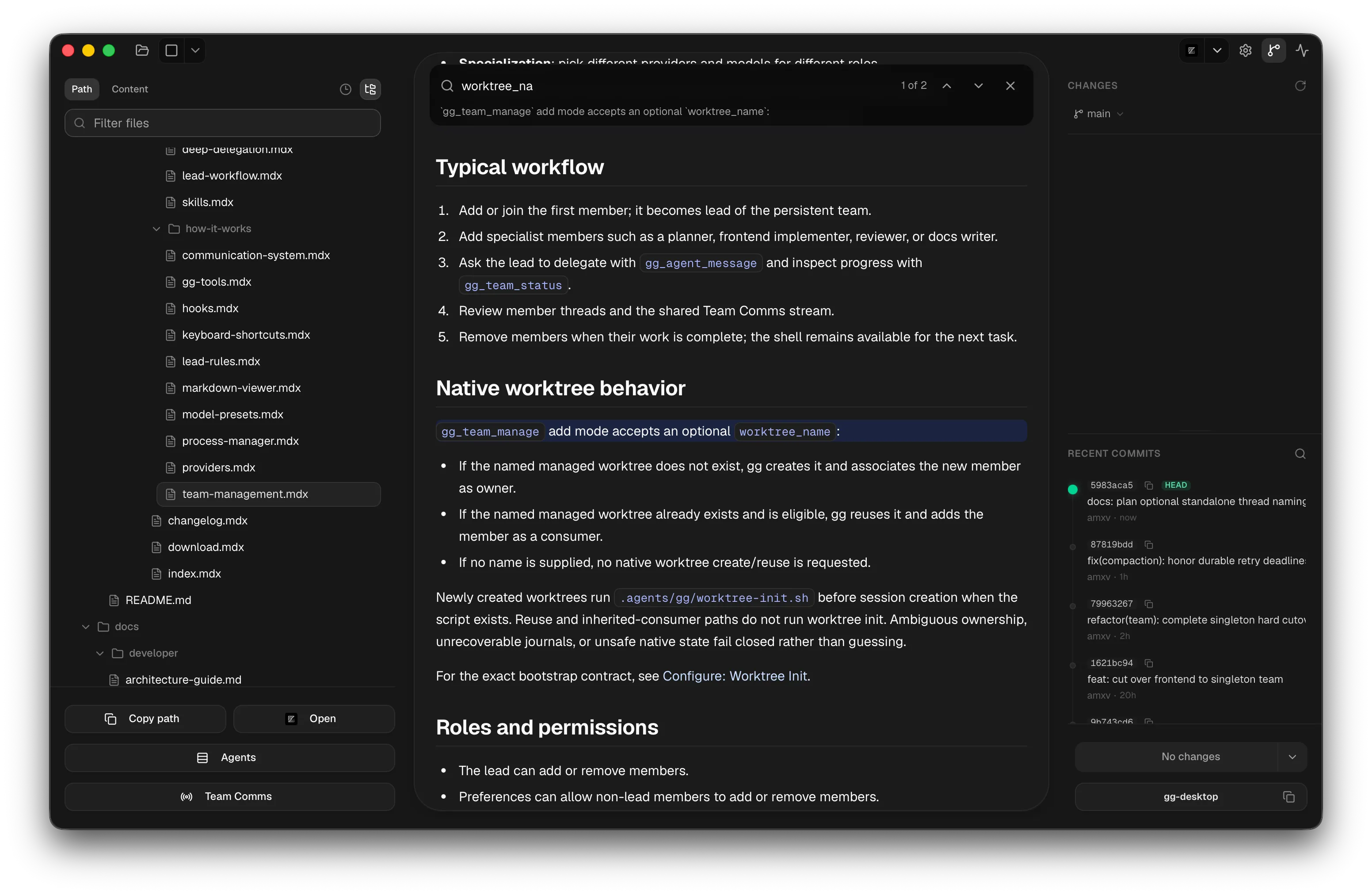
The markdown viewer is a native renderer with syntax highlighting, TOC extraction, and Mermaid support, fast enough that I get sub-100ms renders while an agent is actively rewriting the file.
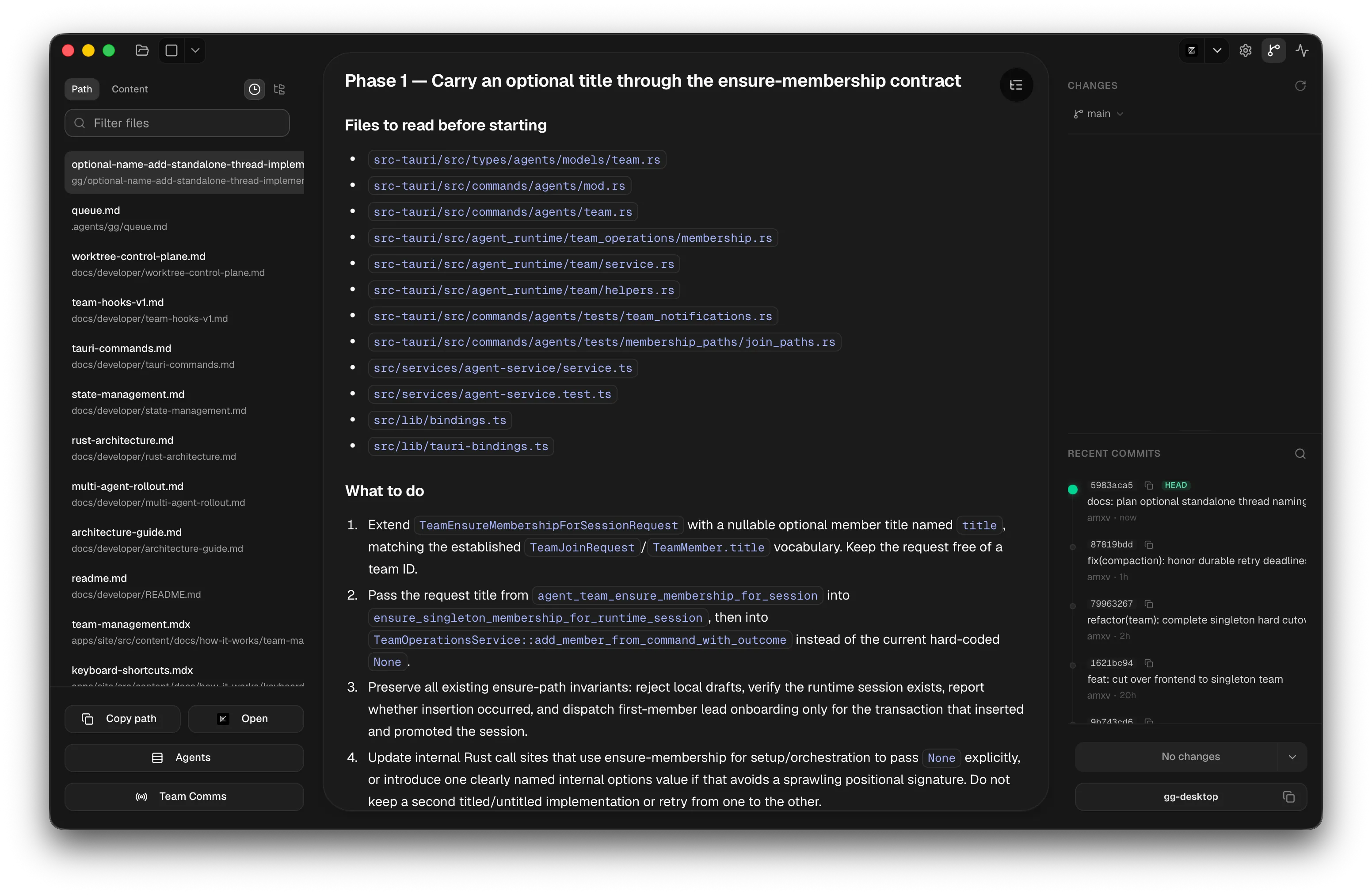
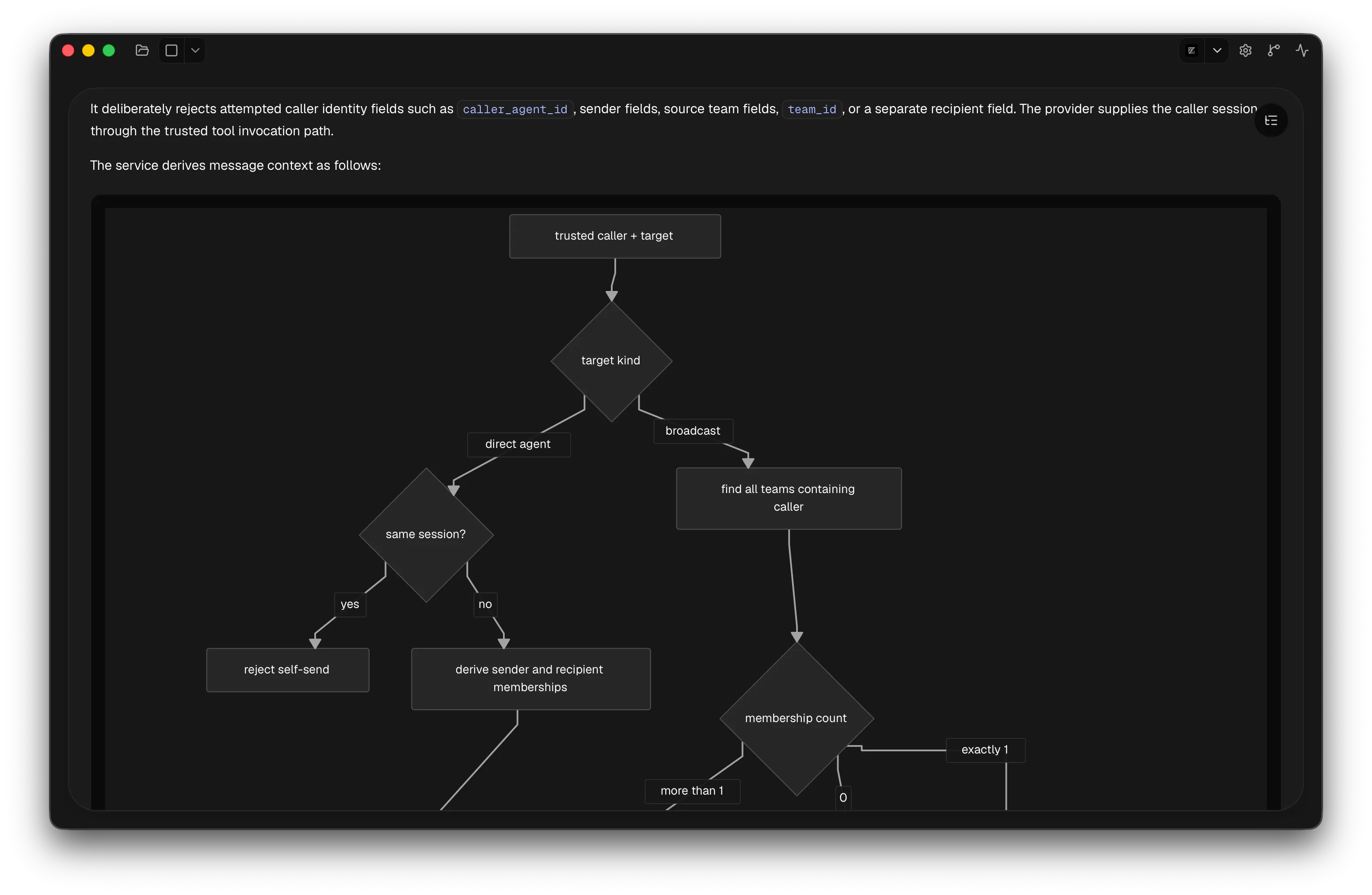
File watchers stream revision deltas, and if the frontend detects a gap in revisions it falls back to a clean refetch instead of showing a corrupted view. One keyboard shortcut flips between the agent view and the docs view, and there’s a real diff view for reviewing what an agent just changed in a spec. In docs mode, the left sidebar becomes a markdown-only file tree with search across every markdown file in the workspace. A full repo tree competing for attention is exactly what I don’t want when I’m reading specs.
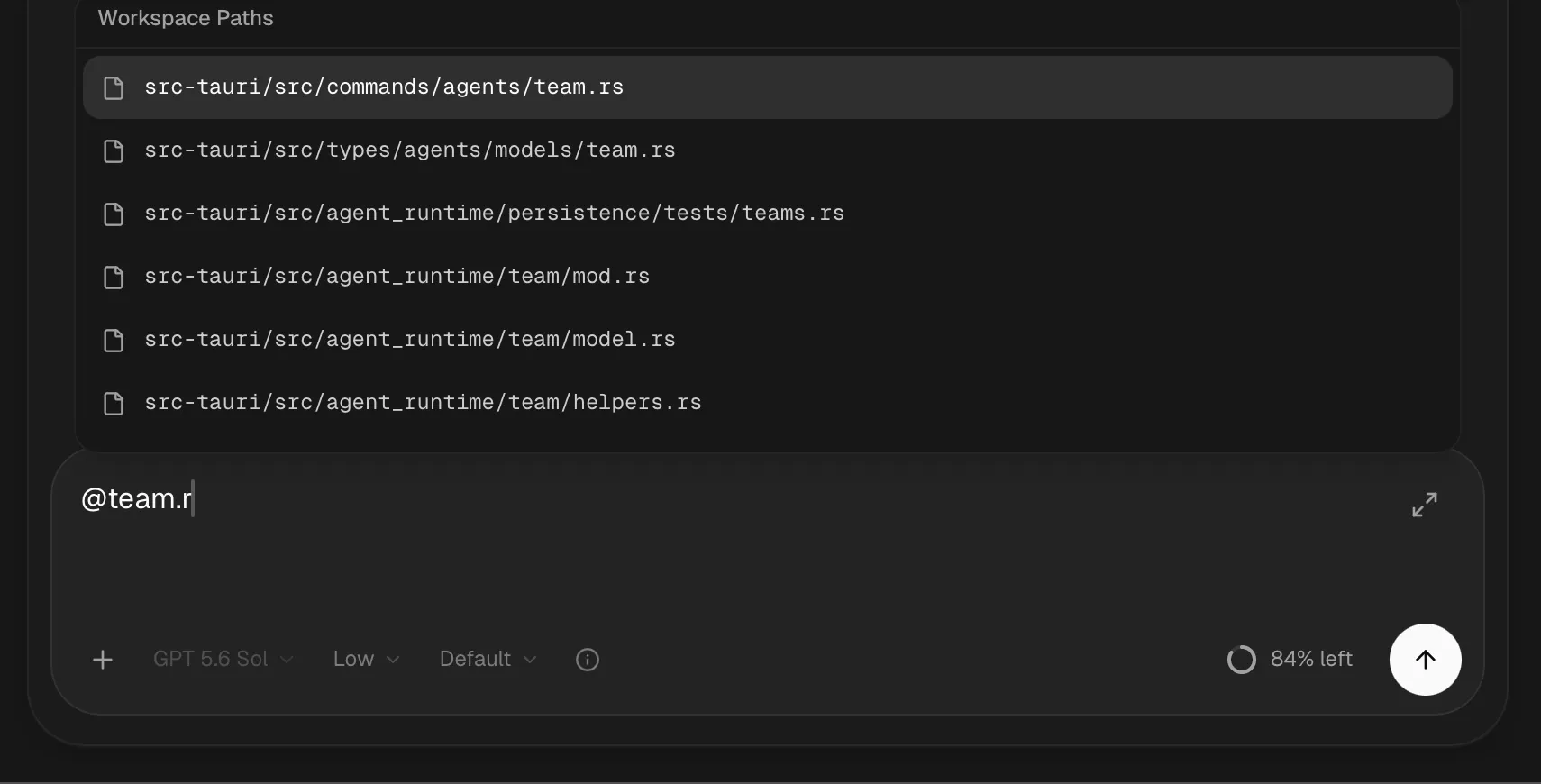
The @ file autocomplete in the prompt composer is the same story. It looks like a UI nicety: type a few characters, pick the file you mean, and the agent gets the exact path instead of guessing. Underneath, it’s a native workspace index with gitignore-aware scans, immutable snapshots the UI can read without locking, fuzzy matching, and the heavy query work kept off the interactive thread. It’s instant on big repos because it was built as an indexing problem, not a dropdown.
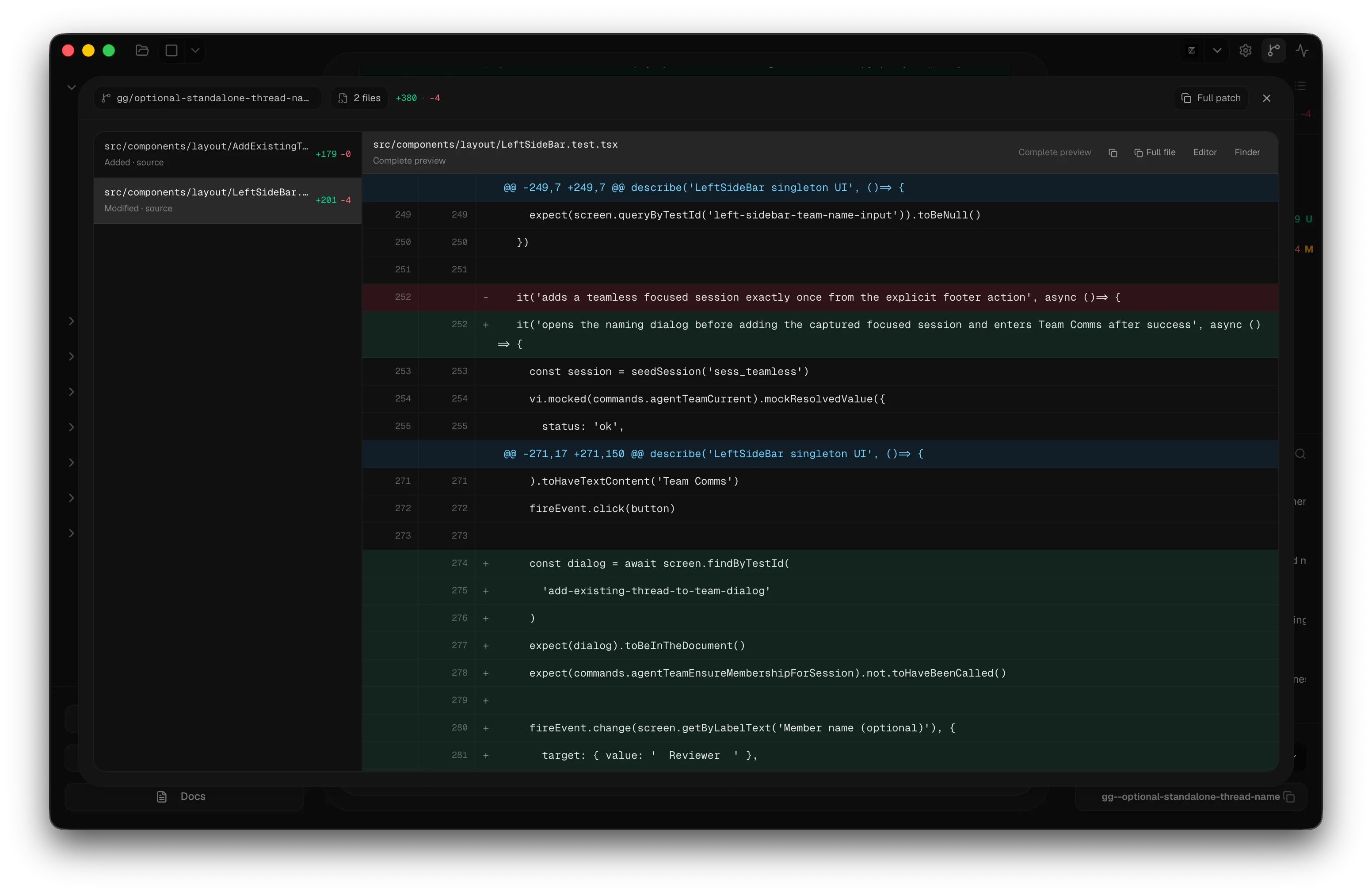
Same for the git panel: branch switching, pulling, one-click commits, and a live diff view, with a changed-files tree and per-file line deltas updating in real time as an agent edits, all scoped to whichever agent or worktree has focus.
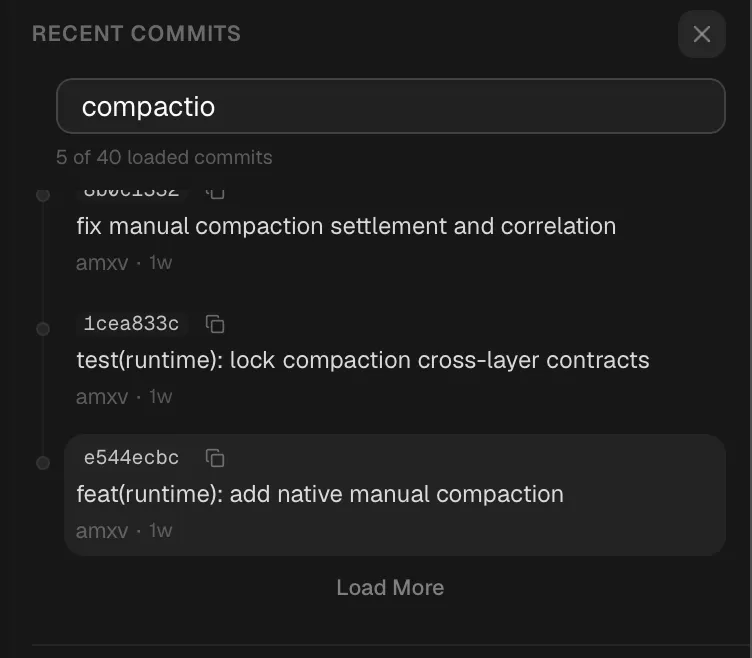
It drafts commit messages and PR descriptions from the actual diff, so committing is rarely more than a glance and a click. There’s fuzzy search over commit hashes and messages with a copy button on each, so pointing an agent at the exact commit I mean takes seconds instead of either me digging or the agent burning context to find it.
Between that and the worktree view, which shows every active worktree, which agent owns it, and what changed, I basically never leave the app to know what my agents are doing to my repo.
A UI that earns its place
The workspace splits into a left sidebar (projects, and the agents inside each one: home base) and a right sidebar that toggles between the git view and the process manager, so branch state and background-command state each get dedicated space instead of fighting for one panel. A command palette (Cmd+K) plus keyboard shortcuts for nearly everything, including switching agents, sending messages, approving diffs, and flipping views, means I can drive almost the entire app without touching the mouse. The timeline renders identically regardless of provider: Claude and Codex look and feel the same to interact with, which is the visible half of the provider abstraction underneath.
The composer lets me queue messages instead of waiting my turn: if an agent is mid-task, I keep typing follow-ups, edit them, reorder them, and they deliver in order. There’s a dedicated Team Comms view, closer to a group chat than a log, where every message between every agent shows up in one place, with automatic context-usage detection so I can see how close a member is to needing compaction before it happens.
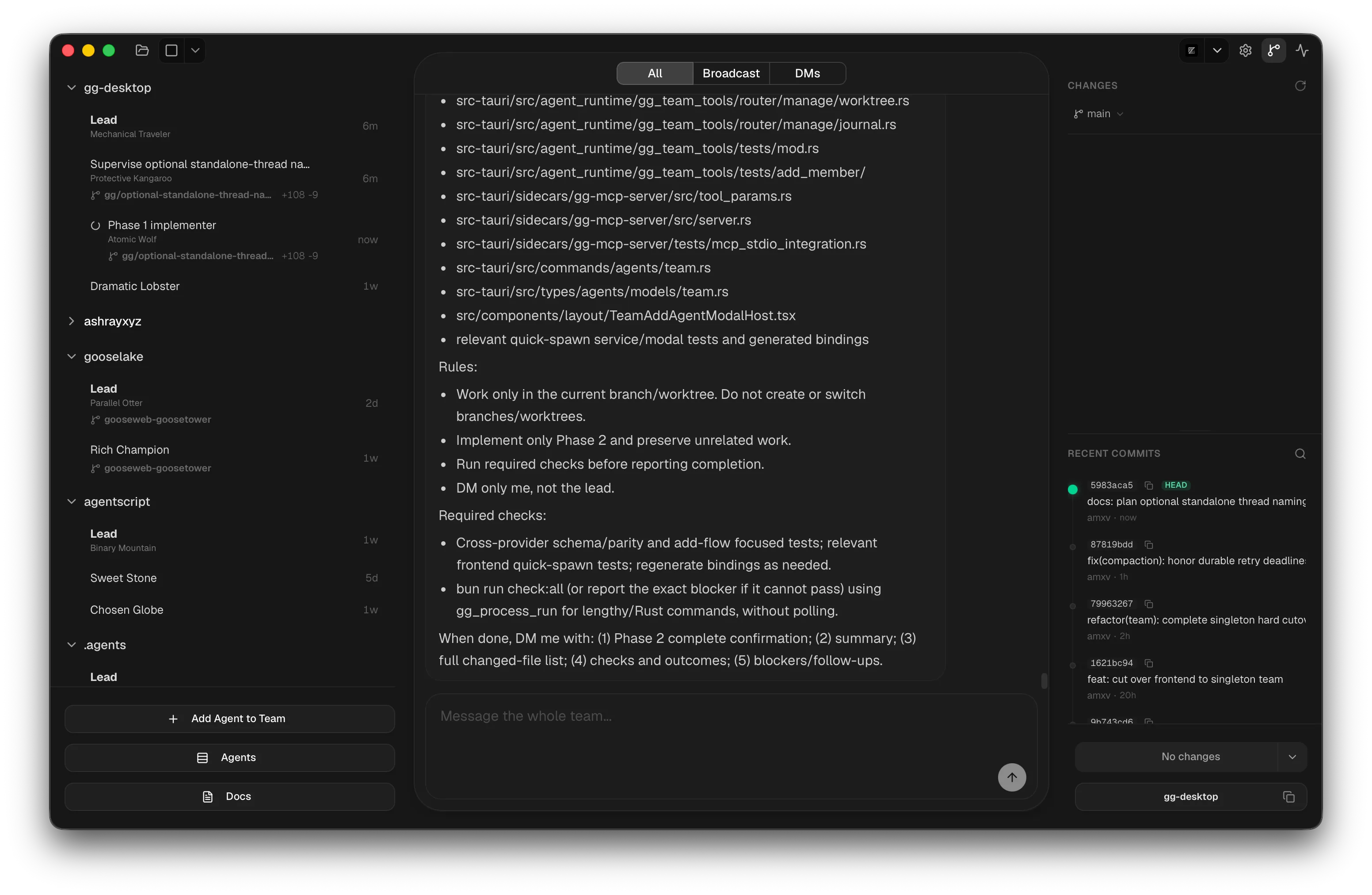
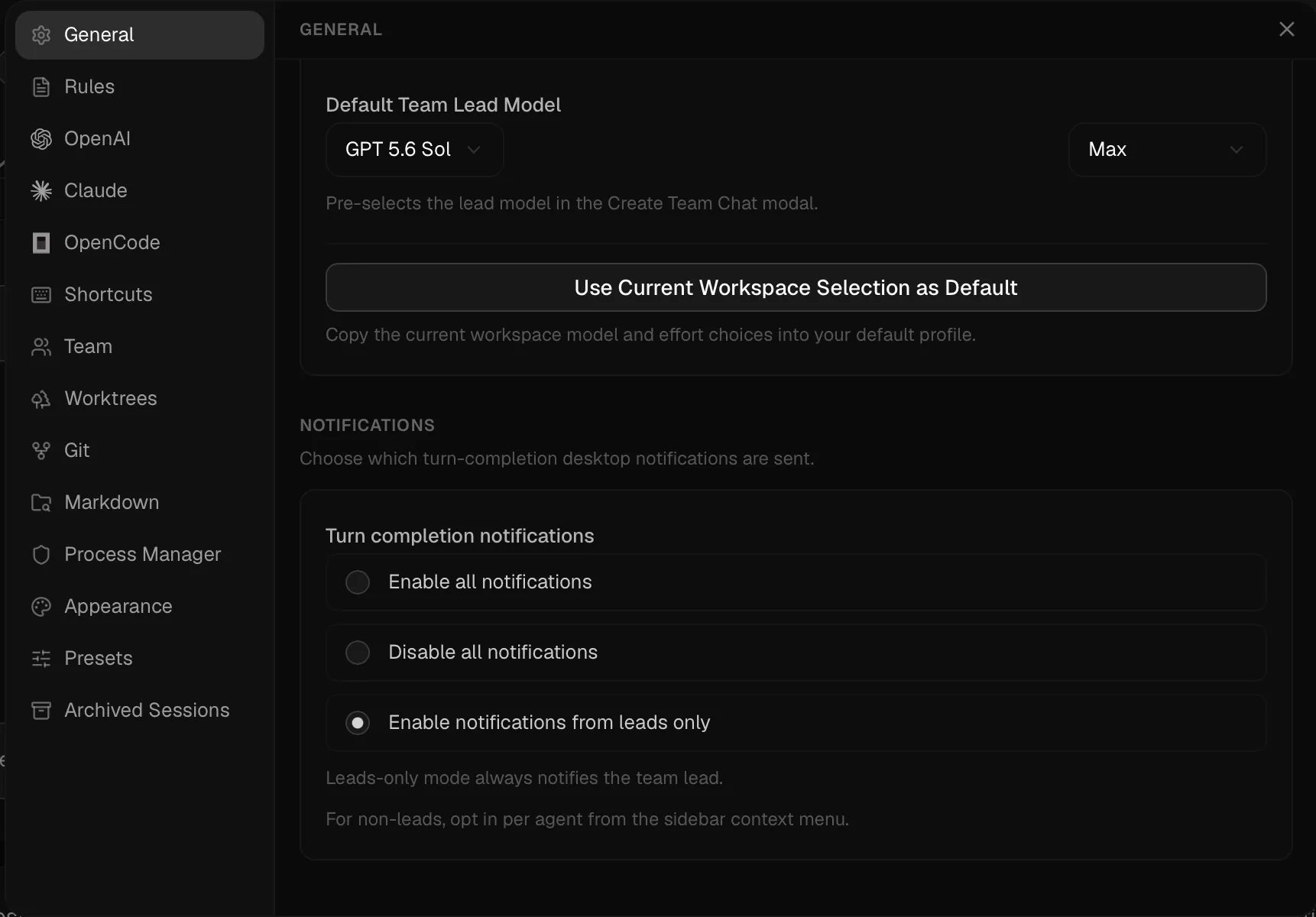
And notification modes I can tune per agent (all, none, leads-only), because a team of agents gets noisy fast and I only want interrupting for completions that matter.
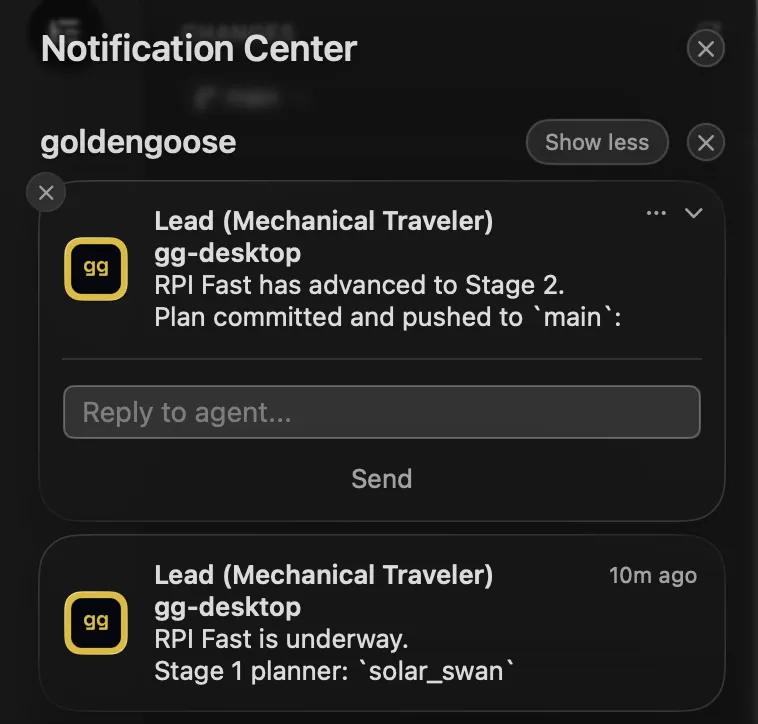
The notifications themselves are real macOS notifications with action buttons, wired through native NSPanel integration and Swift FFI rather than faked from the webview.
Every agent gets a name: a random adjective plus a noun, such as “silk spider,” “blue plum,” or “distinct scorpion.” It sounds minor, but before names there was no fast, natural way to say “that one, not this one” with several agents active at once. Now “send this to silk spider and ask them to integrate into main” is unambiguous. It gives every member an identity, not just an ID, and that turns out to matter when you’re talking to a couple dozen of them a day.
Then there’s the accumulated friction-removal that 2,000 commits of daily dogfooding produces: copy buttons anywhere something might need referencing twice, including file paths, agent messages, diff files, every tool call, and process log in the timeline. Quick-open buttons straight to a terminal, Finder, or my IDE at the relevant path. A worktree-init.sh hook that runs the moment a new worktree is created, so a fresh agent’s environment is ready before it writes a line, with rollback if the script fails so a bad init can’t leave a half-built worktree behind. Named model presets, because I got tired of remembering model strings: “spin up a deep agent” resolves to the right model and thinking-effort config, and it works equally well for me and for the agents driving the app. And app startup in under half a second, because I spent an embarrassing amount of time optimizing transcript loading and timeline reconstruction for a number nobody but me will ever measure. None of it is a headline feature; all of it together is the difference between a tool I tolerate and a tool I enjoy opening every morning.
Why I didn’t build my own model runtime
I deliberately didn’t wrap model APIs directly the way something like Cursor does. goldengoose is built on top of the actual Claude Code and Codex CLIs, which buys me two things I care about a lot: I get to use the subscriptions I already pay for instead of metered API billing, and the models stay inside the exact harness they were trained on instead of being pulled out of it and served through a generic wrapper. That second part matters more than it sounds. A model trained against a specific tool-calling harness behaves noticeably better inside it than behind someone else’s abstraction. It’s the same observation that shaped Zodex, where I hand ChatGPT the exact three tools Codex trained on rather than inventing a cleverer interface.
Because it’s my own subscriptions doing the work, usage limits are a real constraint, so they’re visible right inside the app instead of a surprise. I can also log in with more than one account at once. The moment one account’s limit resets or runs out mid-session, I switch to another and keep going, no restart, no dropped state.
Where it stands
It’s macOS-only today, with Windows and Linux planned. I’d rather ship the multi-agent experience right on one platform first than half-ship it on three. The sidecars, native notifications, and file watching all need dedicated per-platform work, and I’d rather do that work once the design has fully settled than maintain three half-versions while it’s still moving. It’s moving fast: this is the tool I build everything else with, including itself, so it improves at exactly the rate I run into its edges.