
An enterprise client wanted to see, concretely, what my agentic workflow could do, so I gave myself a problem I’d never actually solved: take a real legacy application (a Java Spring Boot document-management system) and migrate it to a modern stack almost entirely with agents. At that point I was already living inside coding agents day to day, but I’d never driven a full legacy migration with them. So I built this as a stress test, equal parts proof to the client and proof to myself.
The thing I want to be clear about: the migrated app was never the point. The deliverable is the workflow. What I was really building, and the part I kept refining, is a repeatable, multi-agent process for taking any legacy codebase apart and putting it back together on a modern stack, with a human steering instead of typing.
The six-phase pipeline
The whole migration is broken into six structured phases, each run by specialized agents and each producing a document the next phase reads:
- M1: Analyze the legacy system. Agents read the entire codebase and document the architecture, data model, API contracts, auth flows, and the business logic buried in the code.
- M2: Research the modern stack. Agents compare framework options for every component and produce a technology mapping with rationale, not vibes.
- M3: Define the migration spec. Every legacy feature gets inventoried and classified: what migrates, what gets improved, what gets dropped.
- M4: Architect. A high-level blueprint covering schema evolution, API design, type definitions, and phase sequencing.
- M5: Generate phase plans. Each phase gets its own implementation plan with concrete task lists that reference specific legacy files and line numbers.
- M6: Review and validate. Cross-phase consistency, type alignment, and dependency ordering get audited before a single line of code is written.
The analysis and research phases (M1 and M2) deliberately fan out across multiple sub-agents rather than leaning on one. Instead of a single agent trying to hold an entire legacy system in its head, the workflow instructs it to spawn parallel sub-agents that each take a different slice of the codebase. That’s a direct defense against context loss, because each sub-agent stays focused on its part, and it’s faster, because the work of mapping every component that needs to change happens concurrently.
Designed to keep the engineer in the driving seat
The whole system is built so the engineer never loses control. No phase advances until I approve it. At the end of each step the workflow stops and waits, and I either sign off or send it back. It’s meant to work hand in hand with an engineer and hand them maximum leverage, not to run off and replace them. That gating is the difference between a useful tool and an autonomous black box, and it’s the design principle I cared about most here.
My favorite part is the very last step: once the migration is executed, a review agent drives a real Chrome browser and exercises the new app like a human would, clicking through flows and verifying the thing actually works end to end, not just that the code compiles. Most of my effort went into tuning these six phases until the handoffs were clean. That refinement is the project.
Why everything is markdown
The spine of the whole system is markdown, and that’s a deliberate choice. Markdown is the rare format that’s genuinely good for both readers at once: it’s clean for a human to scan, trivial for an agent to write, and context-efficient, with no tokens wasted on the structural noise of HTML or JSON. And it’s easy to iterate on: after an agent drafts a plan, I can edit it directly instead of re-prompting until it’s right. Every analysis, decision, and plan lands as durable markdown, which means the migration leaves behind real documentation: onboarding material and architectural reference that outlives the project.
A dashboard so I stay in the loop
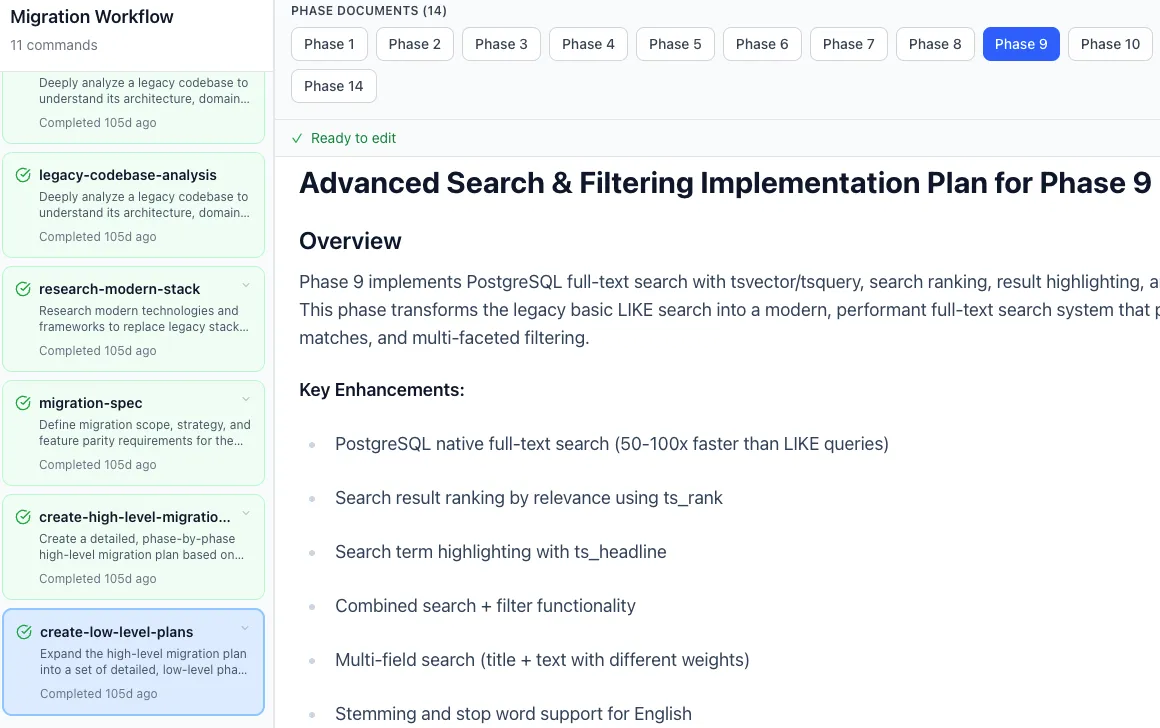
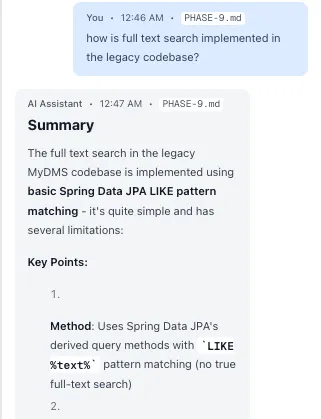
Because I wanted to edit those documents fast, I built a web UI around the workflow: a three-panel cockpit with the M1–M6 phases on one side, a full TipTap markdown editor in the middle, and an AI chat on the other. The loop is: the agent and I discuss a phase, it writes the markdown, I tweak it in the editor, and I click through to the next step. It surfaces real-time progress, including sub-agent status, task lists, and cost tracking, so an autonomous run is never a black box. And for headless or terminal-first use, the same workflow runs through a cross-platform CLI, packaged as a standalone binary for macOS, Linux, and Windows with no runtime to install.
What it proved
This was all before the wave of autonomous agentic frameworks landed, with me hacking on my own orchestration because the tools I wanted didn’t exist yet. The migration ran, but what I actually walked away with was a repeatable methodology for agent-driven modernization, and the confidence, demonstrated to a client, that you can hand a legacy codebase to a well-structured swarm of agents and get a modern one out, as long as a human stays in the loop at the right moments.
Under the hood: Next.js 15 and React 19, the Claude Agent SDK for multi-agent orchestration, a TipTap markdown editor, and local SQLite (WAL mode) for state, with the whole platform packageable as a single standalone binary.